
Coursera AI Mastery for Professionals Specialization: Worth It for Desktop Engineers?
If you are a desktop engineer or sysadmin trying to get practical AI skills without disappearing into a cloud-architecture rabbit hole, the AI Mastery for Professionals Specialization on Coursera is one of the most interesting options I found.
It is not a deep machine learning program. It is not an exam cram. It is a short, beginner-friendly specialization focused on prompt engineering, retrieval-augmented generation, agentic workflows, and practical AI outputs you can actually use at work.
That combination makes it unusually relevant for IT pros who spend most of their time on documentation, support, troubleshooting, automation, and internal enablement.
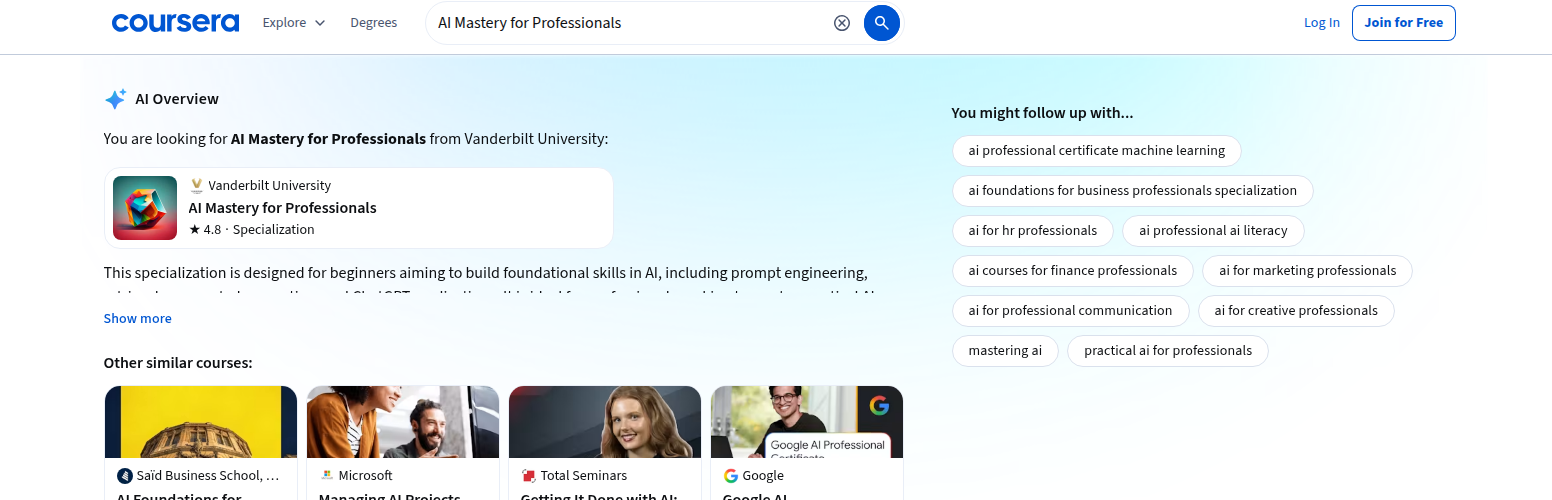
Quick verdict
| Category | Verdict |
|---|---|
| Best for | Desktop engineers, sysadmins, and IT pros who want fast, practical AI workflow skills |
| Provider | Vanderbilt University on Coursera |
| Format | 3-course Specialization |
| Level | Beginner |
| Time estimate | 4 weeks at 10 hours/week |
| Rating | 4.8 from 9,355 reviews |
| Practical ROI | High for prompt literacy, AI-assisted documentation, and workflow automation |
| Biggest limitation | Not a vendor exam; less useful if you need Microsoft/AWS/Google Cloud credential signaling |
| My recommendation | Strong pick if you want a hands-on AI productivity credential rather than a cloud certification |
Official page: https://www.coursera.org/specializations/ai-mastery
Why this Coursera credential stands out
Most AI learning paths for IT professionals split into two buckets:
- Concept-first certifications that prove you understand AI at a high level.
- Cloud-specific certifications that prove you can operate inside a vendor ecosystem.
AI Mastery for Professionals lands in a more practical middle lane. Coursera surfaces it as a shareable certificate with a 3-course series, and the program description is very explicit about the outcomes:
- apply AI to automate and improve everyday work
- design AI agents and reusable skills for real tasks
- turn prompts into dashboards, reports, and workflows
That is exactly the sort of language I want to see for desktop engineering ROI.
What you actually learn
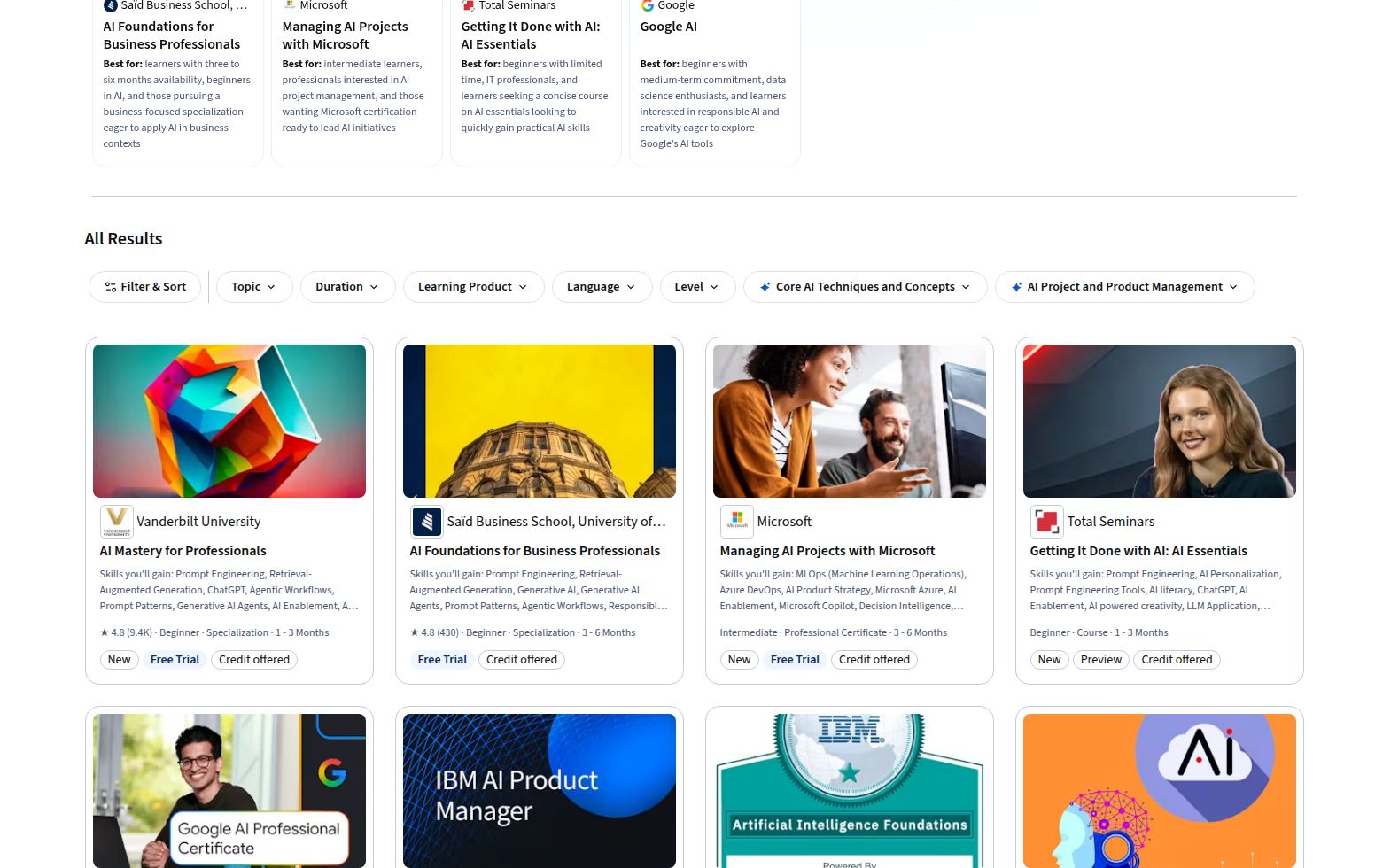
Coursera lists the specialization as a 3-course series and says it is designed for beginners who want practical AI techniques in one to three months.
The skills list is unusually strong for a beginner credential:
- Prompt Engineering
- Retrieval-Augmented Generation
- ChatGPT
- Agentic Workflows
- Prompt Patterns
- Generative AI Agents
- AI Enablement
- AI Orchestration
- Prompt Engineering Tools
- AI Product Strategy
- AI Personalization
- AI Integrations
- Responsible AI
- Claude Code
- Anthropic Claude
That combination matters because it goes beyond “write better prompts.” It points toward the way IT teams will actually use AI in 2026: structured tasks, reusable workflows, and agent-like helpers that support real work.
Course breakdown
The specialization consists of:
- Agentic AI and AI Agents: A Primer for Leaders — 6 hours
- AI Agent Skills for Leaders — 6 hours
- Prompt Engineering for ChatGPT — 19 hours
That is a good balance. The first two courses are compact enough to be approachable, while the third gives you enough depth to move beyond surface-level AI chatter.
Why desktop engineers should care
A lot of AI credentials are aimed at people who want to become ML engineers. That is not what most desktop engineers need.
Desktop engineers usually need AI to help with work that looks like this:
- writing and standardizing runbooks
- summarizing ticket threads and incident notes
- drafting end-user communication
- producing knowledge base articles
- building internal support tools
- turning messy work into repeatable workflows
- making better use of Copilot-style assistants
This specialization maps to those tasks very cleanly.
The strongest practical signals are the emphasis on:
- agentic workflows for structured task completion
- RAG for pulling from internal knowledge
- prompt patterns for consistent output quality
- AI orchestration for multi-step work
- Claude Code / ChatGPT familiarity for daily productivity
In other words, it teaches the AI literacy layer that is increasingly useful whether your environment is Microsoft-heavy, mixed-cloud, or completely vendor-neutral.
The ROI case for IT pros
Here is where this credential makes business sense:
1. Faster documentation
You can use the course concepts to turn rough notes into polished:
- SOPs
- support articles
- change summaries
- project updates
- incident reports
2. Better knowledge capture
If your team relies on tribal knowledge, this specialization helps you think about how to structure prompts and workflows so AI can turn informal expertise into searchable, repeatable outputs.
3. Internal automation thinking
Even if you do not build full AI apps, the specialization encourages you to think in terms of reusable skills and agents. That is useful for creating support copilots, ticket triage helpers, and internal productivity tools.
4. Better day-to-day prompting
A lot of IT people already use Copilot, ChatGPT, or Claude casually. This credential helps you move from casual usage to repeatable methods.
5. Lightweight career signaling
A Vanderbilt-backed Coursera certificate is easier to complete than a vendor exam, but still stronger than an unstructured self-study streak.
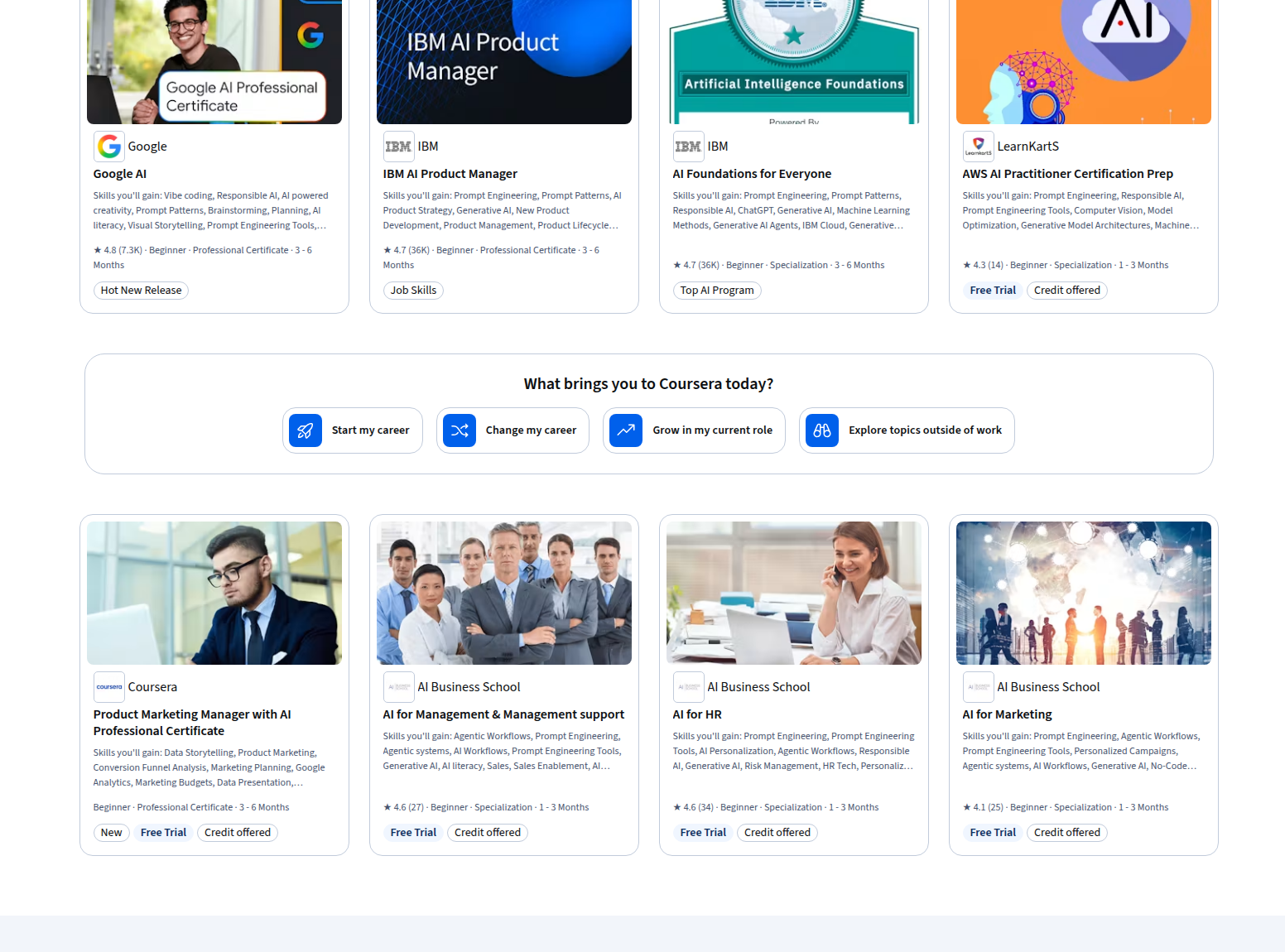
How it compares with Microsoft, AWS, and Google Cloud
This is where the decision gets interesting.
| Credential | Vendor | Format | Time | Hands-on? | Best fit |
|---|---|---|---|---|---|
| AI Mastery for Professionals | Vanderbilt / Coursera | Specialization | 4 weeks at 10 hours/week | Yes, workflow-oriented | IT pros who want practical AI productivity skills fast |
| Managing AI Projects with Microsoft | Microsoft / Coursera | Professional Certificate | 3–6 months | More project-oriented | Teams leading AI rollout in Microsoft environments |
| AWS Certified AI Practitioner | AWS | Exam | 90 minutes | No | People who want a vendor exam and AWS AI fundamentals |
| Generative AI Leader | Google Cloud | Certification | 90 minutes | No | Business and strategy leaders in Google Cloud ecosystems |
Compared with Microsoft
Microsoft’s Coursera credential, Managing AI Projects with Microsoft, is better if your job is about coordinating AI delivery inside a Microsoft stack. It leans into MLOps, Azure DevOps, model deployment, Microsoft Copilot, and cloud management.
That makes it stronger for Microsoft-heavy shops.
AI Mastery for Professionals is better if you want a quicker, broader productivity credential that does not assume you are already living in Azure every day.
Compared with AWS
AWS Certified AI Practitioner is the better move if you need an actual exam credential and AWS brand signaling. The official AWS page says it is a foundational, 90-minute, 65-question exam for people familiar with AI/ML concepts on AWS, and the intended roles include IT support and IT managers.
That makes AWS better for vendor-proofing. AI Mastery for Professionals is better for workflow depth and faster completion.
Compared with Google Cloud
Google Cloud’s Generative AI Leader certification is a different kind of product. Google Cloud describes it as for a visionary professional with business-level gen AI knowledge, and the exam is 90 minutes, $99, and 50–60 multiple-choice questions.
That is a solid choice if you need leadership-level AI credibility. AI Mastery for Professionals is more practical for day-to-day knowledge work.
When I would choose this specialization
Choose AI Mastery for Professionals if you want:
- a fast credential you can finish in about a month
- practical AI workflows instead of theory
- better prompt engineering and AI agent literacy
- a certificate that helps with documentation, support, and internal tooling
- a vendor-neutral AI skill boost before you commit to a cloud-specific path
When I would skip it
Skip it or delay it if:
- you need a proctored vendor exam for HR or promotion purposes
- your employer explicitly wants Microsoft, AWS, or Google Cloud branding
- you already have strong prompt/agent experience and want deeper technical depth
- your next move is cloud AI architecture rather than productivity workflows
My bottom line
For desktop engineers and sysadmins, Coursera AI Mastery for Professionals is one of the best low-friction AI credentials I found because it focuses on the part of AI that most IT teams actually need right now: turning prompts and workflows into useful outputs.
If your goal is to become an AI researcher or ML engineer, this is not the right program.
If your goal is to become the person who can use AI to:
- write better runbooks
- automate repetitive knowledge work
- build internal support helpers
- and communicate more clearly with the rest of the business
then this specialization is absolutely worth a look.
In simple terms:
- Need a cloud exam? Choose AWS or Google Cloud.
- Need Microsoft ecosystem depth? Choose Microsoft.
- Need practical AI productivity skills fast? Choose AI Mastery for Professionals.