
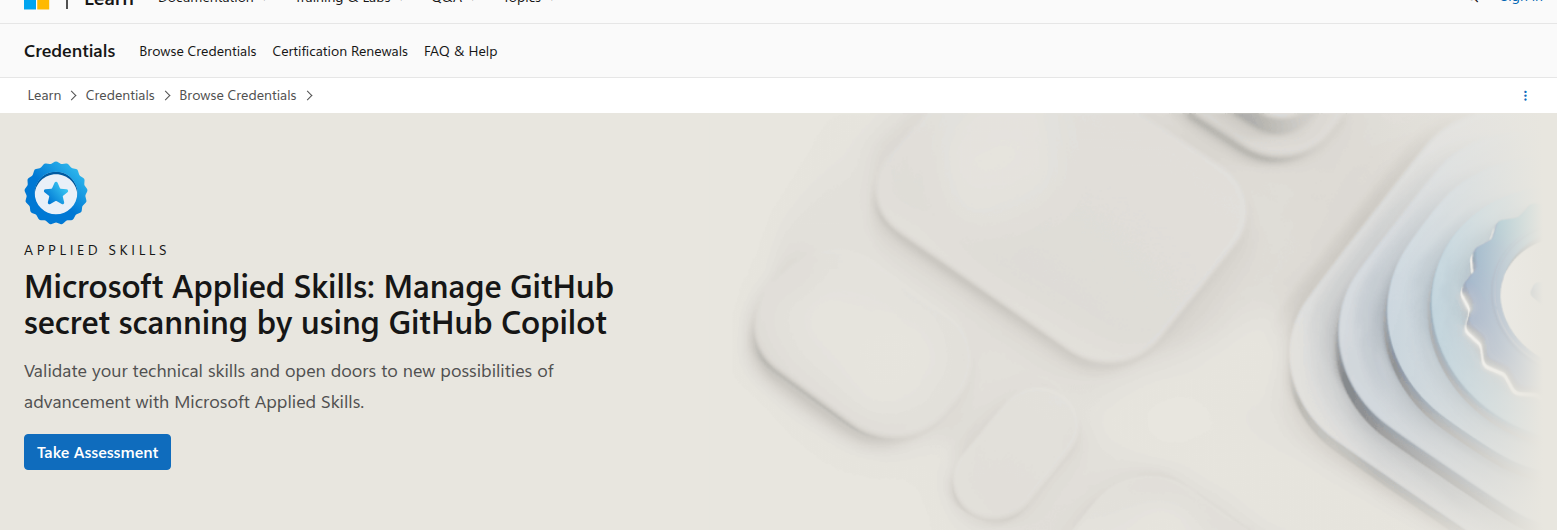
Microsoft Applied Skills: Manage GitHub Secret Scanning by Using GitHub Copilot — Worth It for DevOps-Minded SysAdmins?
If your day job sits anywhere near GitHub, DevOps, app delivery, security alerts, or code-adjacent automation, this Microsoft Applied Skills badge is a surprisingly practical AI credential.
It is not a “what is AI?” course. It is a hands-on, lab-based assessment that checks whether you can use GitHub Copilot to manage GitHub secret scanning alerts and close them safely.
That makes it more interesting than a generic AI fundamentals badge for IT pros who want something operational and measurable instead of purely conceptual.
Quick verdict
| Category | Verdict |
|---|---|
| Best for | DevOps-minded sysadmins, platform engineers, and security-aware admins who work in GitHub |
| Provider | Microsoft Learn |
| Credential type | Applied Skills badge |
| Level | Intermediate |
| Assessment | 2-hour interactive lab |
| Prep path | 1 hr 50 min learning path, 1 module |
| Practical ROI | High if your team manages repositories, secrets, or release workflows |
| Biggest strength | Real alert remediation, not trivia |
| Biggest limitation | Less useful if you never touch GitHub or developer tooling |
Bottom line: if your work involves code repositories, secret protection, or release governance, this badge proves something useful.
What this credential actually proves
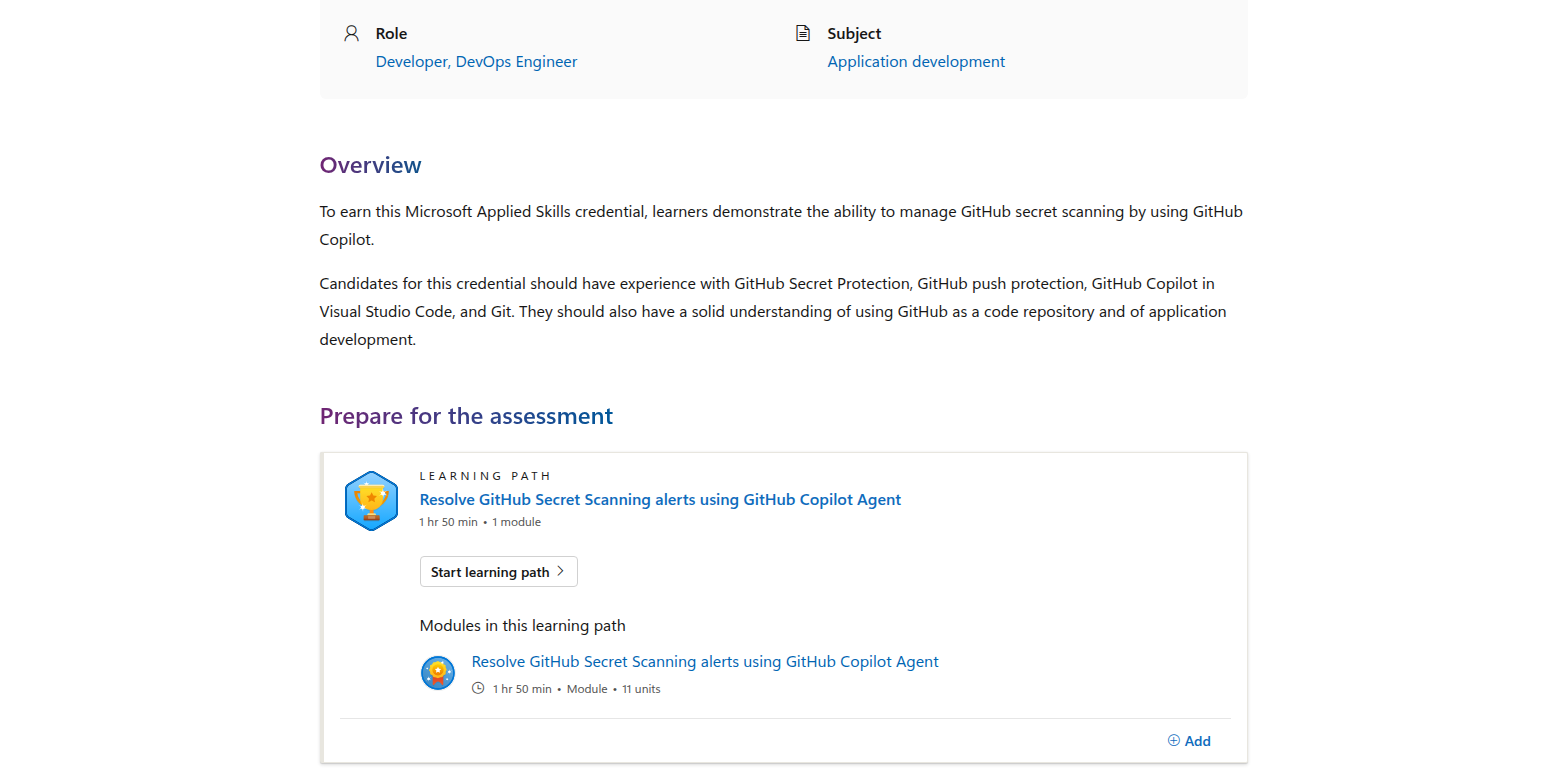
Microsoft says candidates must demonstrate the ability to manage GitHub secret scanning by using GitHub Copilot.
The credential page also says candidates should have experience with:
- GitHub Secret Protection
- GitHub push protection
- GitHub Copilot in Visual Studio Code
- Git
- using GitHub as a code repository
- application development fundamentals
That is a very specific skill set, and that specificity is the point.
This badge is not about prompt fluency or AI theory. It is about doing a real admin/security task:
- detecting secrets in code
- reviewing the alert
- using Copilot to help remediate it
- pushing the fix back to GitHub
- closing the alert cleanly
For teams shipping software or internal tooling, that is an actual operational workflow.
Why sysadmins should care
A lot of desktop engineers and sysadmins assume GitHub badges are only for app developers. That is too narrow.
If you support:
- internal scripts and automation
- release pipelines
- packaging or deployment code
- infrastructure-as-code repositories
- security review workflows
- developer tools for your organization
…then secret scanning is part of your world, even if you do not call yourself a developer.
The practical value here is simple:
- you learn how secret scanning works in a real repository workflow
- you see how Copilot fits into remediation and code cleanup
- you build confidence around alert handling and push protection
- you get a credential that maps to enterprise security hygiene, not just AI enthusiasm
That is much more relevant than a broad AI course if your team lives in GitHub every day.
What the assessment looks like
Microsoft’s page makes the structure clear:
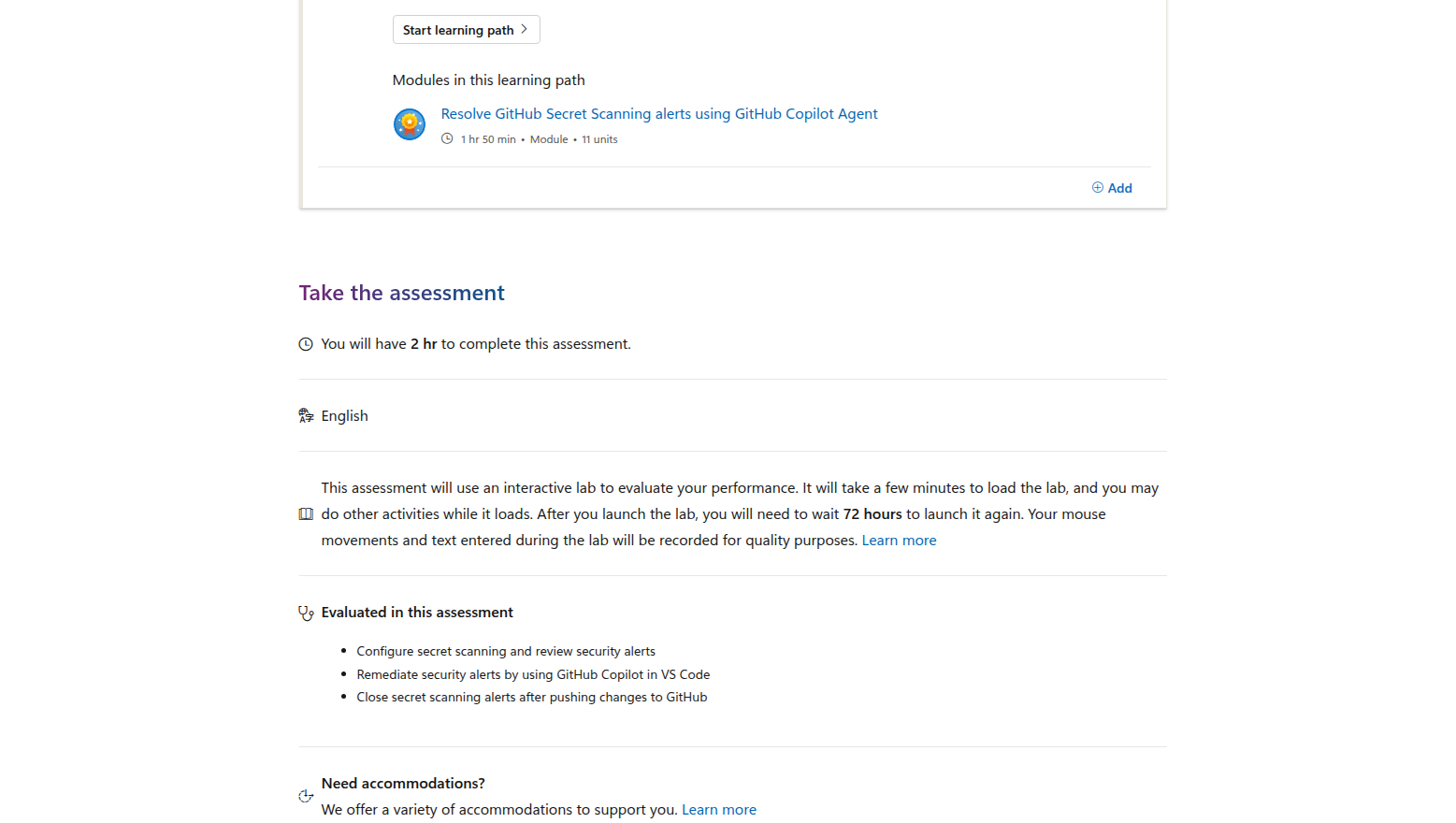
- Learning path: Resolve GitHub Secret Scanning alerts using GitHub Copilot Agent
- Prep time: 1 hr 50 min
- Modules: 1
- Assessment time: 2 hr
- Format: interactive lab
- Wait period after launch: 72 hours before you can launch it again
The learning path is intentionally compact. The single module is also the assessment’s conceptual center:
- Resolve GitHub Secret Scanning alerts using GitHub Copilot Agent
The evaluated tasks are the most important part because they show exactly what the badge is measuring:
- configure secret scanning and review security alerts
- remediate security alerts by using GitHub Copilot in VS Code
- close secret scanning alerts after pushing changes to GitHub
That is a solid proof point for anyone who wants to show they can do practical AI-assisted remediation rather than just talk about AI.
Why this is different from other Microsoft AI credentials
Microsoft has several Applied Skills badges that are more obviously “AI” in the popular sense.
For example:
- GitHub Copilot general productivity badges focus on coding assistance
- Copilot Studio badges focus on building agents and workflows
- Purview / M365 Copilot badges focus on governance and information protection
This GitHub secret scanning badge sits in a useful middle zone:
- it is still AI-assisted
- it is still hands-on
- it is still operational
- but it is more security and workflow oriented than generic coding help
If your org is asking admins to help secure AI-adjacent development work, this badge gives you a sharper signal than a broad AI certificate.
How it compares with AWS, Google Cloud, Microsoft, and Coursera
Versus AWS Certified AI Practitioner
AWS Certified AI Practitioner is a strong foundational cert, but it is a different kind of signal.
AWS emphasizes AI/ML and generative AI concepts broadly, with official exam details that include:
- 90 minutes
- 65 questions
- $100 USD
- a target audience familiar with AI/ML concepts on AWS
That is useful if you want vendor-branded AI literacy.
But for a sysadmin who wants a hands-on operational badge, Microsoft’s GitHub secret scanning assessment is more practical.
Versus Google Cloud Generative AI Leader
Google Cloud Generative AI Leader is probably the easiest AI cert to explain to a manager:
- no prerequisites
- 90-minute exam
- $99 fee
- short learning path
- broad gen-AI leadership and literacy focus
That makes it excellent for people who want a quick, low-friction AI credential.
Still, it is much more of an AI awareness badge than a remediation workflow badge.
If you want proof that you can actually operate inside a secure engineering workflow, the Microsoft badge wins.
Versus Coursera AI certificates
Coursera’s AI programs are great for learning, but they are usually not the same as a lab-based credential.
A few current comparison points from Coursera search results are worth noting:
- Google AI Professional Certificate — beginner, professional certificate, 3–6 months, strong broad AI literacy signal
- IBM AI Developer Professional Certificate — beginner, professional certificate, 3–6 months, more build-oriented and more code-heavy
- Microsoft AI & ML Engineering Professional Certificate — intermediate, professional certificate, 3–6 months, broader Azure-aligned technical track
- IBM RAG and Agentic AI — advanced, professional certificate, 3–6 months, very technical and more agentic-workflow oriented
Coursera is better if you want a structured learning path.
Microsoft Applied Skills is better if you want to prove a specific, job-shaped action.
Versus Microsoft Copilot Studio Applied Skills
Copilot Studio is the more natural fit if you want to build agents and workflow automation.
But that credential is more citizen-developer / app-maker flavored.
This GitHub secret scanning badge is narrower, but it is better aligned to security, repo hygiene, and release workflows — which can be a better fit for some sysadmins and platform folks.
The ROI case for IT pros
For desktop engineers and sysadmins, the ROI is strongest when you need one or more of these:
- a Microsoft-branded AI badge with a real lab
- a security-focused AI workflow credential
- proof that you can use Copilot inside operational remediation
- a credential that maps to GitHub governance or developer-tool support
- a way to participate in AI conversations without taking a full ML track
This is not the credential for someone who wants to learn general AI concepts from scratch.
It is the credential for someone who thinks like an operator:
- see the alert
- understand the risk
- fix the repo safely
- validate the remediation
- close the loop
That is exactly the kind of work IT teams get asked to help with as AI gets closer to everyday engineering workflows.
Who should take it
Take this credential if you are:
- a DevOps-minded sysadmin who works in GitHub
- a platform engineer supporting repos and release pipelines
- a security-aware admin helping teams prevent secret leaks
- an IT engineer who maintains scripts, automation, or internal tools
- someone who wants a practical Microsoft AI badge that is not purely theoretical
Skip it for now if you are:
- a pure desktop support tech with no GitHub exposure
- looking for a broad first AI certification
- trying to prove cloud-wide AI literacy instead of workflow-specific skill
- not comfortable with Git, VS Code, or repository-based work
Final verdict
Microsoft Applied Skills: Manage GitHub secret scanning by using GitHub Copilot is one of the more useful niche AI credentials for IT pros who live near engineering workflows.
It wins because it is:
- practical
- lab-based
- security-relevant
- Microsoft-branded
- quick enough to complete without a huge study ramp
If you want a broad AI cert, choose AWS AI Practitioner, Google Cloud Generative AI Leader, or a Coursera program.
If you want a proof-of-work badge for GitHub security remediation with Copilot, this Microsoft Applied Skills credential is a strong pick.
FAQ
Is this credential worth it for sysadmins?
Yes, if your sysadmin work includes GitHub, internal automation, or repo security. If you never touch those systems, the ROI is much lower.
Is it better than a Coursera AI certificate?
Not as a learning path, but yes as a job-specific proof signal. Coursera is broader; this badge is more operational.
Is it better than AWS Certified AI Practitioner?
For general AI literacy, no. For hands-on GitHub remediation and security workflow validation, yes.
Is it a good first AI credential?
Only if you already live in GitHub or DevOps workflows. For everyone else, a broader certificate is easier to start with.