
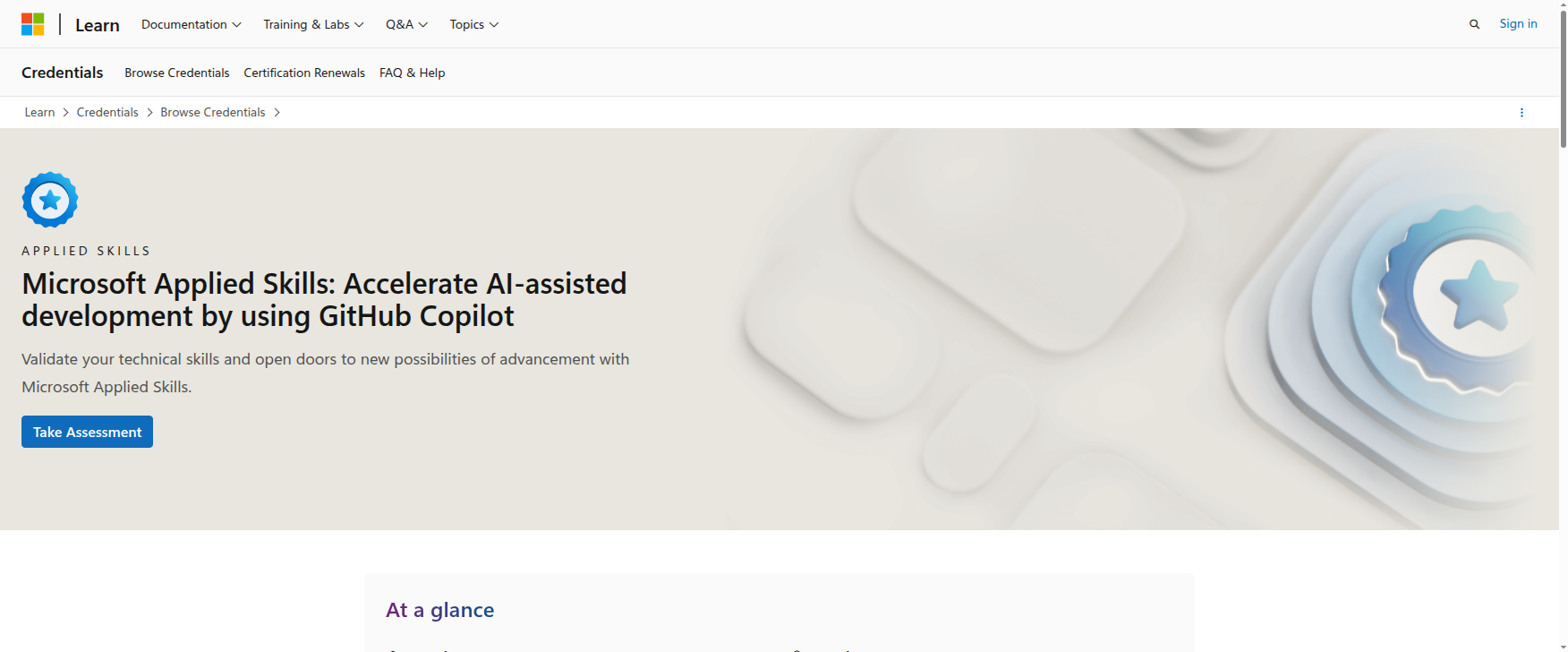
Microsoft Applied Skills: Accelerate AI-assisted development by using GitHub Copilot — Worth It for Desktop Engineers?
If your day job sits anywhere near Windows support, desktop engineering, automation, scripting, or light dev tooling, this Microsoft Applied Skills badge is one of the more practical AI credentials currently available.
It is not a generic AI theory course. It is a hands-on, lab-based assessment that checks whether you can use GitHub Copilot to explain, document, build, test, and improve code.
That matters because a lot of sysadmins and desktop engineers are now expected to do more than close tickets. They are being asked to help with internal automation, code-assisted troubleshooting, and faster delivery of support scripts.
Quick verdict
| Category | Verdict |
|---|---|
| Best for | Desktop engineers, sysadmins, and support engineers who already work with code, scripts, or GitHub-adjacent workflows |
| Provider | Microsoft Learn |
| Credential type | Applied Skills badge |
| Level | Intermediate |
| Assessment | 2-hour interactive lab |
| Prep path | 7 hr 59 min learning path, 6 modules |
| Practical ROI | High if your environment uses GitHub, VS Code, and AI-assisted development workflows |
| Biggest strength | Real lab work instead of a trivia-style exam |
| Biggest limitation | More developer-leaning than most pure admin teams need |
Bottom line: if you already write scripts, review code, or maintain internal automation, this badge proves something useful. If you never touch code, it is probably not the best first AI credential for you.
What this credential actually proves
Microsoft says candidates must demonstrate the ability to accelerate app development by using GitHub Copilot.
The credential page also says candidates should have familiarity with Visual Studio Code and GitHub, plus experience developing apps using C#.
That tells you a lot about the intended audience:
- not AI beginners
- not business-only learners
- not pure endpoint-only admins
- not people looking for a broad, vendor-neutral AI overview
Instead, it is for people who need to use Copilot as a productivity multiplier in a real dev workflow.
For desktop engineers and sysadmins, that can still make sense if your work includes:
- PowerShell or C# utilities
- internal tools and scripts
- code review and debugging
- documentation and test generation
- support automation for endpoints and platforms
- GitHub-based collaboration with engineering teams
Why desktop engineers should care
A lot of IT pros hear “GitHub Copilot” and assume it is only for application developers.
That is too narrow.
Desktop engineers and sysadmins are increasingly expected to:
- generate and maintain scripts faster
- explain inherited code or automation
- write tests for support tooling
- document internal workflows
- debug code that sits behind operational tooling
- collaborate with dev teams using the same GitHub workflow
This badge is valuable because it measures actual AI-assisted coding behavior, not just AI vocabulary.
If your admin work already involves script writing, automation, or supporting internal tools, this credential can improve both speed and credibility.
If your work is strictly ticket triage, image deployment, or policy administration, the ROI is lower.
What the assessment looks like
Microsoft’s page makes the structure very clear:
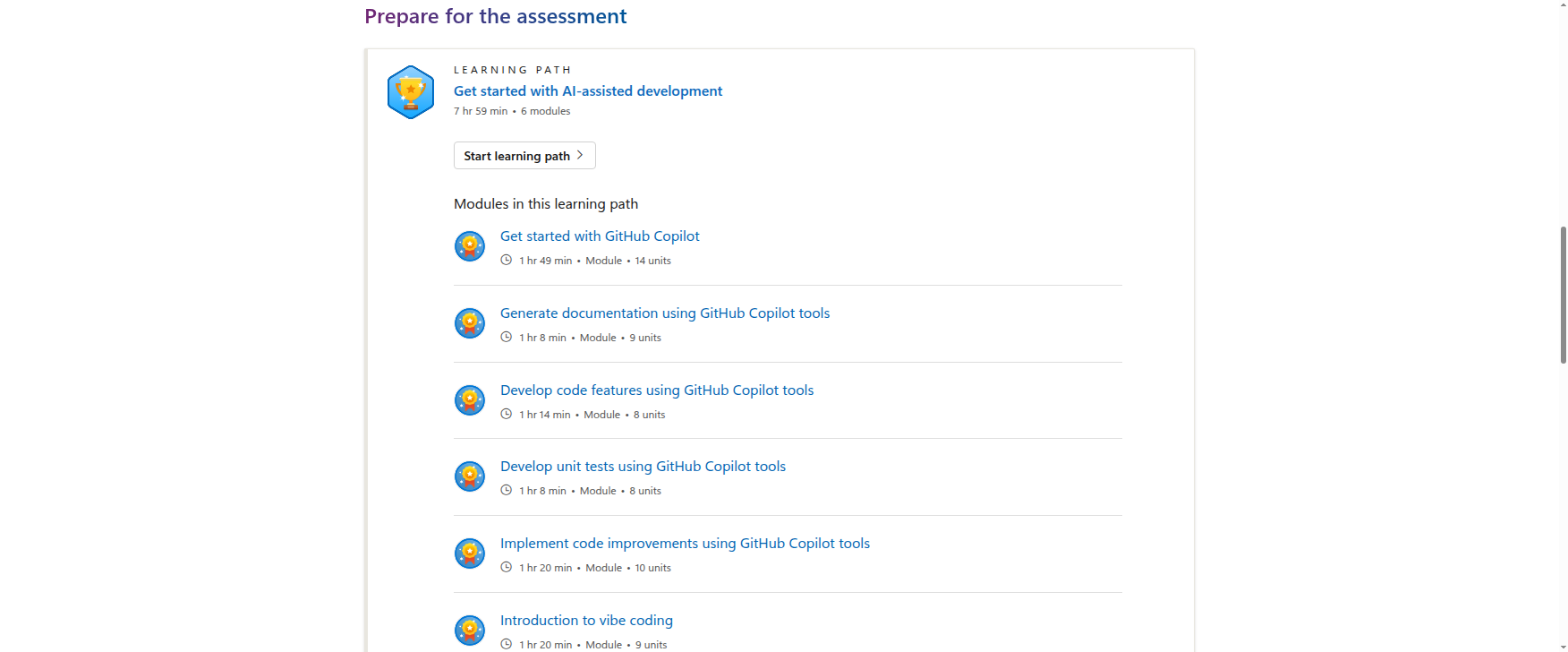
- Learning path: Get started with AI-assisted development
- Prep time: 7 hr 59 min
- Modules: 6
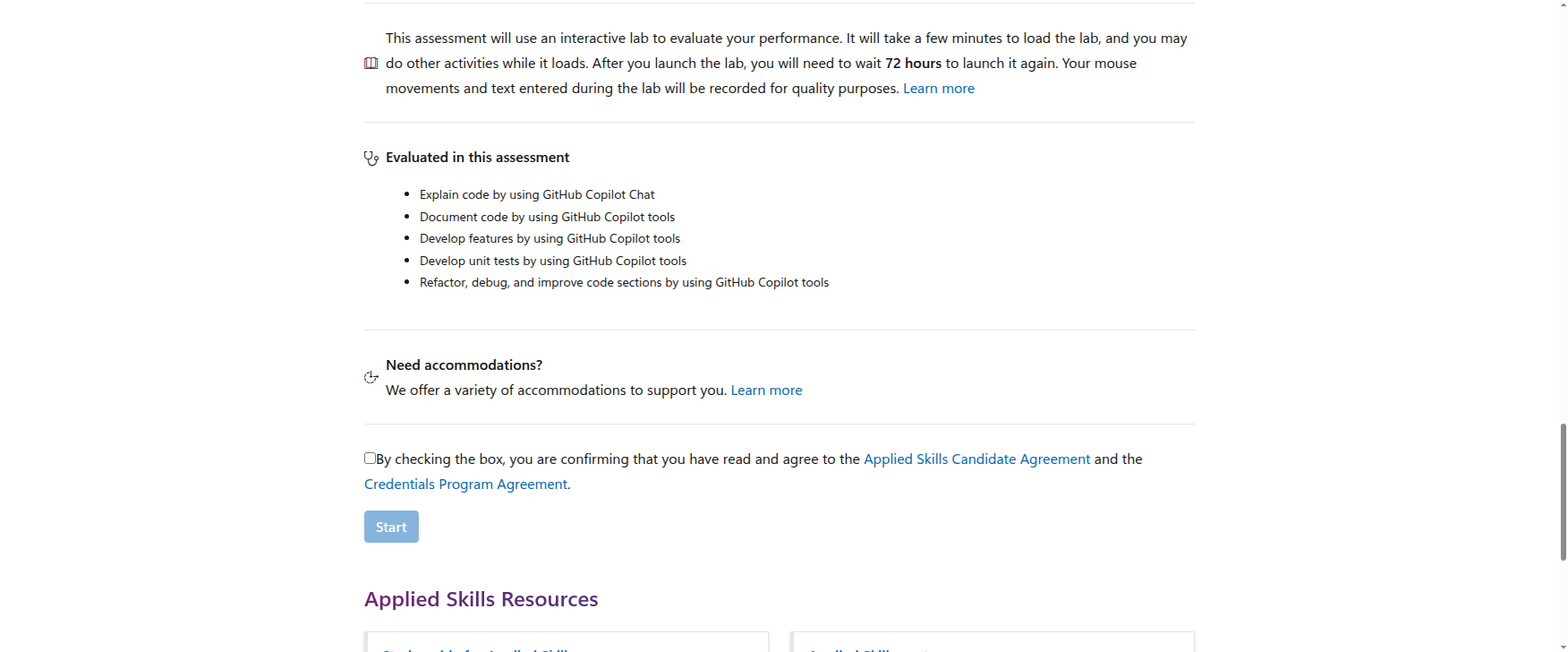
- Assessment time: 2 hr
- Format: interactive lab
- Wait period after launch: 72 hours before you can launch it again
The learning path modules are nicely aligned to practical use cases:
- Get started with GitHub Copilot
- Generate documentation using GitHub Copilot tools
- Develop code features using GitHub Copilot tools
- Develop unit tests using GitHub Copilot tools
- Implement code improvements using GitHub Copilot tools
- Introduction to vibe coding
The assessment then checks whether you can actually perform tasks like:
- explain code by using GitHub Copilot Chat
- document code by using GitHub Copilot tools
- develop features by using GitHub Copilot tools
- develop unit tests by using GitHub Copilot tools
- refactor, debug, and improve code sections by using GitHub Copilot tools
That is exactly why I like this badge more than many “AI learning path” certificates.
It is applied, not aspirational.
The ROI story for sysadmins and desktop engineers
If you are a sysadmin or desktop engineer, the question is not “Is GitHub Copilot cool?”
The real question is:
Will this help me ship internal automation faster?
For the right person, the answer is yes.
This badge can help you move from:
- writing scripts slowly
- inheriting opaque automation
- relying on copied snippets
- spending time deciphering code
to:
- generating draft code faster
- understanding legacy scripts more quickly
- creating tests and documentation
- refactoring with more confidence
- collaborating better with developers
That is a meaningful career upgrade because it turns AI into a workflow tool rather than a talking point.
How it compares with AWS, Google Cloud, and Coursera
I would not recommend choosing this badge in isolation. It makes more sense when compared with the other common AI credentials IT people look at.
AWS Certified AI Practitioner
AWS Certified AI Practitioner is a better fit if you want broad AI and cloud literacy.
It is a foundation-level certification, and AWS positions it around AI, machine learning, and generative AI concepts and use cases. That makes it a strong option for cloud-oriented IT pros, but it is much less workflow-specific than the Copilot lab.
Pick AWS if: you want vendor-branded AI fundamentals and your career is trending cloud-first.
Pick Microsoft Copilot Applied Skills if: you want to prove you can use AI inside day-to-day coding and automation work.
Google Cloud Generative AI Leader
Google Cloud’s Generative AI Leader certification is explicitly designed for any job role, with no prerequisites and a business-level focus.
Google says the exam is 90 minutes, has 50–60 multiple-choice questions, costs $99, and is valid for 3 years.
That makes it a good credential for AI awareness and internal AI strategy conversations.
But it is not the same kind of proof as a lab where you actually build and improve code with Copilot.
Pick Google Cloud if: you want broad gen AI literacy and a business-facing credential.
Pick Microsoft Copilot Applied Skills if: you want to show hands-on productivity with AI-assisted development.
Coursera AI Professional Certificate options
Coursera is usually the “learn first, certify later” path.
On Coursera’s AI search results, the Google AI Professional Certificate is framed as a good starting point for beginners with 3–6 months availability, especially people interested in foundational AI skills, responsible AI, and AI literacy.
That is useful if you want a gentler introduction.
It is not as strong as this Microsoft lab when the goal is proving practical, work-adjacent execution.
Pick Coursera if: you want a slower, broader learning journey.
Pick Microsoft Copilot Applied Skills if: you want a tighter credential tied to shipping work.
My recommendation for desktop engineers
Here is the cleanest way to think about it:
- Need broad AI literacy? AWS or Google Cloud is stronger.
- Need hands-on AI-assisted coding proof? Microsoft Copilot Applied Skills wins.
- Need beginner-friendly exploration? Coursera is the gentlest entry point.
For desktop engineers and sysadmins who already automate, script, or work with code, this Microsoft badge is the most immediately useful of the four.
For pure endpoint admins who rarely touch code, I would still start elsewhere.
Final verdict
This is a good ROI badge if you are an IT pro who already lives near code.
It is especially worth it if you:
- use GitHub or VS Code regularly
- write internal scripts
- support developer-adjacent tools
- want proof that you can use AI in a real workflow
- need a Microsoft-branded credential with practical, lab-based validation
It is not the best first AI credential for every sysadmin, but it is one of the better ones for desktop engineers who want to move from “I support IT” to “I accelerate IT.”