
Microsoft Applied Skills: Secure AI solutions in the cloud — Worth It for IT Pros?
If your work touches Microsoft 365, Azure, Defender for Cloud, Foundry, or security governance, this is one of the more useful AI-related credentials Microsoft has published.
Why? Because it does not ask you to become a machine learning engineer or memorize generic AI trivia. It asks whether you can secure AI solutions in the cloud using Microsoft-native controls.
That is a real job skill for admins, security engineers, and desktop engineers who are getting pulled into AI rollout conversations whether they asked for them or not.
Quick verdict
| Category | Verdict |
|---|---|
| Best for | Microsoft-first IT pros who need practical AI security/governance skills |
| Provider | Microsoft Learn |
| Credential type | Applied Skills badge |
| Level | Intermediate |
| Assessment | 45-minute interactive lab |
| Prep path | 2 hr 42 min learning path, 4 modules |
| Practical ROI | High if you support AI governance, cloud security, or Microsoft Foundry projects |
| Biggest strength | Real-world security tasks: Defender for Cloud + Foundry guardrails |
| Biggest limitation | Narrower value if you want broad AI theory or a cloud-agnostic badge |
| My recommendation | Strong ROI for Microsoft-centric admins and security engineers |
Official credential page: https://learn.microsoft.com/en-us/credentials/applied-skills/secure-ai-solutions-in-the-cloud/
What Microsoft says this credential validates
Microsoft says learners must demonstrate the ability to secure AI solutions in the cloud.
That sounds simple, but it is a good signal for IT teams because the badge is not just about AI concepts. It is about controls:
- Microsoft Defender for Cloud
- Microsoft Foundry
- Azure portal workflows
- security and AI concepts in Azure
- cloud security guardrails
For practical IT work, that matters more than another badge that only proves you can talk about generative AI in abstract terms.
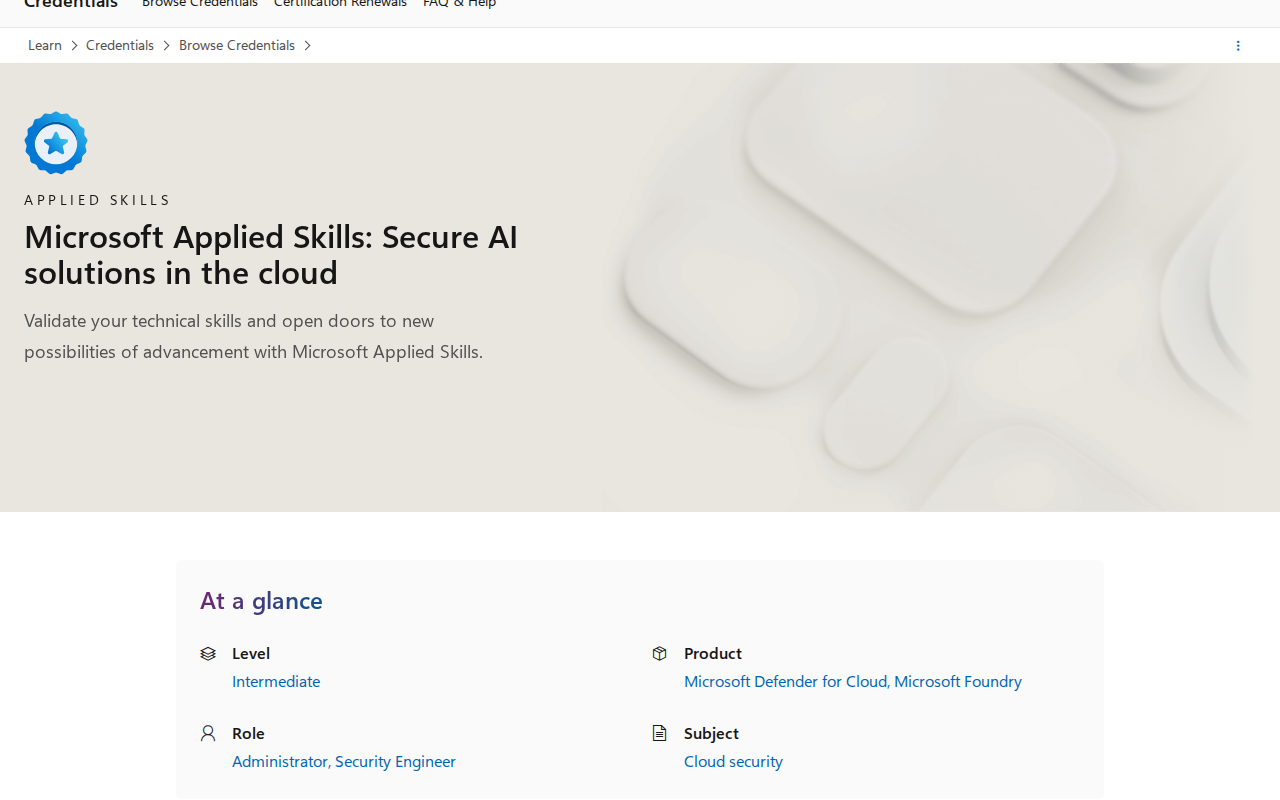
The credential page also makes the target audience pretty clear:
- Level: Intermediate
- Product: Microsoft Defender for Cloud, Microsoft Foundry
- Role: Administrator, Security Engineer
- Subject: Cloud security
That combination is exactly why this is relevant to desktop engineers and sysadmins who now get asked to support AI projects with policy, access, and security controls.
Why this credential stands out
A lot of AI certifications split into two camps:
- Foundational awareness badges that are useful for vocabulary.
- Developer-heavy build paths that are great if you are already coding full time.
This Applied Skills badge sits in the middle in a much more operational way.
It is useful if your work involves:
- approving AI rollout controls
- reviewing cloud security posture
- setting guardrails around Foundry workloads
- supporting security or compliance teams
- helping admins understand what AI services can and cannot do
That is a much better fit for real IT ops than a generic AI intro.
What the preparation path looks like
Microsoft’s prep path is compact:
- Protect Microsoft Foundry solutions by using Microsoft Defender for Cloud
- 2 hr 42 min
- 4 modules
The module names are highly practical:
- Understand how Microsoft Defender for Cloud supports AI security and governance in Azure — 26 min
- Protect AI workloads with Microsoft Defender for Cloud — 38 min
- Configure and manage guardrails in Microsoft Foundry — 48 min
- Secure Microsoft Foundry environments — 50 min
That is the right shape for an admin/security credential. It is short enough to finish without derailing your week, but specific enough to map to actual cloud work.
What the assessment evaluates
Microsoft gives you 45 minutes to complete the assessment, and it uses an interactive lab.
The evaluated tasks are:
- Configure security for AI services in Microsoft Defender for Cloud
- Configure model guardrails and controls in Microsoft Foundry
- Configure security settings for an Azure Microsoft Foundry environment
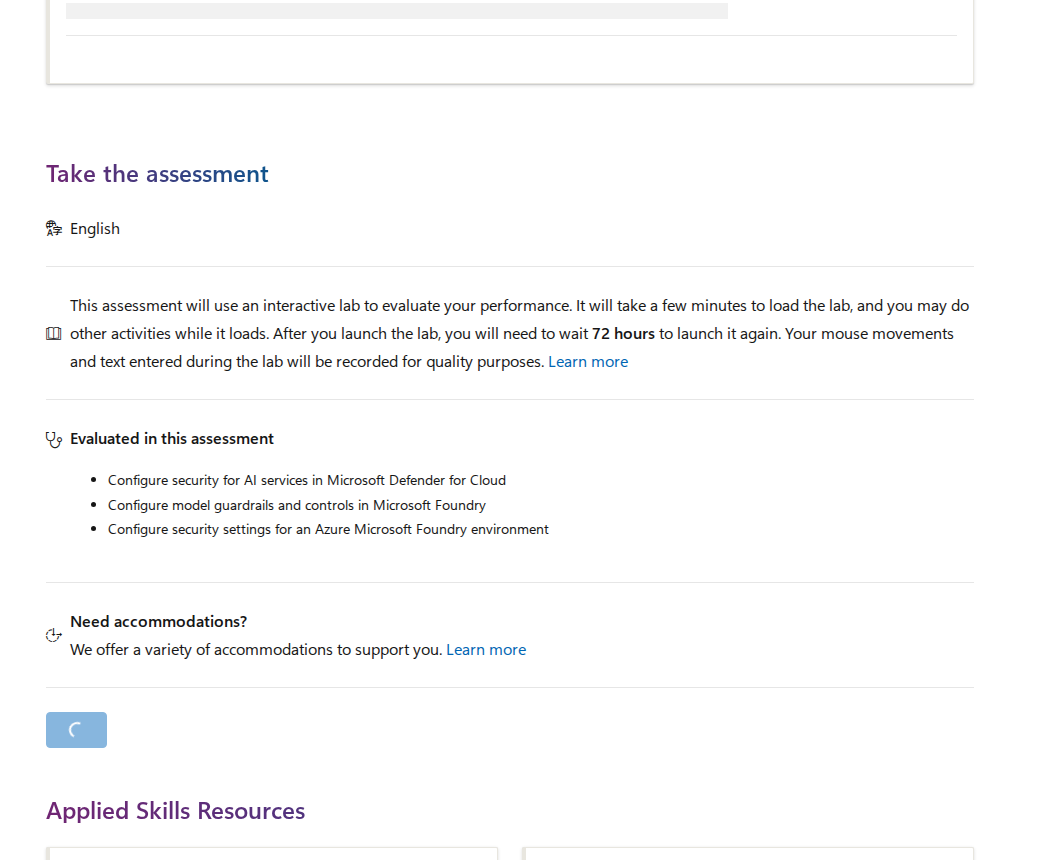
Microsoft also warns that:
- the lab can take a few minutes to load
- you may do other activities while it loads
- after launching the lab, you must wait 72 hours before launching it again
- mouse movements and typed text are recorded for quality purposes
That is a good reminder that this is a real lab, not a quiz.
Why IT pros should care
If you are a desktop engineer or sysadmin, you may wonder why a cloud security AI badge matters.
The answer is simple: AI governance rarely stays isolated in one team.
As soon as your organization starts piloting AI features, somebody has to answer questions like:
- Which AI services are approved?
- How are workloads protected?
- What guardrails exist in Foundry?
- What security settings should be enforced?
- How does the team explain risk to management?
This credential helps you participate in those conversations with more than just generic AI language.
It also fits the current reality of Microsoft-heavy environments where desktop, cloud, and security work all blur together.
Who should take it
This badge makes the most sense for:
- Microsoft 365 admins
- security engineers
- cloud admins
- desktop engineers supporting Copilot or AI rollout governance
- sysadmins in Microsoft-heavy shops
- anyone who needs to secure Azure AI or Foundry-based workloads
Who should skip it
Skip it if you want:
- broad AI theory
- a cloud-agnostic credential
- a coding portfolio project
- machine learning model training depth
- a badge that is useful outside Microsoft ecosystems
How it compares with AWS, Google Cloud, and Coursera
Here is the honest comparison for IT professionals trying to choose where to spend time.
| Credential | Provider | Format | Hands-on signal | Best fit |
|---|---|---|---|---|
| Microsoft Applied Skills: Secure AI solutions in the cloud | Microsoft | Interactive lab | High | Microsoft-first admins and security engineers |
| AWS Certified AI Practitioner | AWS | Foundational exam | Low to medium | Broad AI awareness with AWS branding |
| Google Cloud Generative AI Leader | Google Cloud | Exam | Low | Cross-functional AI fluency |
| Microsoft Generative AI Engineering Professional Certificate | Coursera + Microsoft | Multi-course certificate | High | Learners who want deeper build skills over months |
Versus AWS Certified AI Practitioner
AWS Certified AI Practitioner is a solid entry-level option, but it is still a foundational exam.
Microsoft’s Applied Skills badge is better if your real work is about security controls and guardrails in a Microsoft environment.
Versus Google Cloud Generative AI Leader
Google’s credential is approachable and useful for AI awareness, but it is broader and more business-facing.
If you want to prove you can secure a Microsoft AI stack, this Applied Skills badge is more job-adjacent.
Versus Coursera’s Microsoft Generative AI Engineering certificate
Coursera is the better choice if you want broader technical depth and are willing to spend months learning.
This Applied Skills badge is better if you want faster employer-visible proof tied to Microsoft AI security operations.
Practical ROI by career path
If you are a desktop engineer
This badge helps you move from endpoint support into AI-adjacent governance support.
If you are a sysadmin
This is a useful bridge into cloud AI control ownership and policy conversations.
If you are a security engineer
This credential aligns directly with security guardrails, cloud posture, and model controls.
If you are an IT support lead
This can help you understand the controls behind new AI tools before they reach users.
What you do not get
To keep this honest, here is what this badge does not give you:
- it is not a full machine learning certification
- it is not a substitute for coding experience
- it is not a broad AI strategy course
- it is not a cloud-neutral credential
- it does not replace real-world implementation work
Think of it as a focused operational badge rather than a complete AI career path.
Final recommendation
If you work in a Microsoft-first environment and care about the security side of AI adoption, this is absolutely worth a look.
It is short, practical, and directly tied to the kind of work IT teams are already being asked to do:
- protect AI workloads
- manage guardrails
- secure cloud environments
- explain the controls to stakeholders
That makes it a much better ROI play than a generic AI overview course for admins, sysadmins, and security engineers.
If you want the deepest AI theory, look elsewhere. If you want hands-on app building, look at a developer-focused certificate. If you want a practical Microsoft badge for AI governance and cloud security, this one earns its keep.