
Microsoft Applied Skills: Build an Agent in Microsoft Copilot Studio — Worth It for Desktop Engineers & SysAdmins?
Most AI credentials for IT professionals fall into one of three buckets:
- Vocabulary checks that prove you can talk about AI.
- Long-form course bundles that are useful, but slow to finish.
- Lab-based badges that show you can actually do something in a real product.
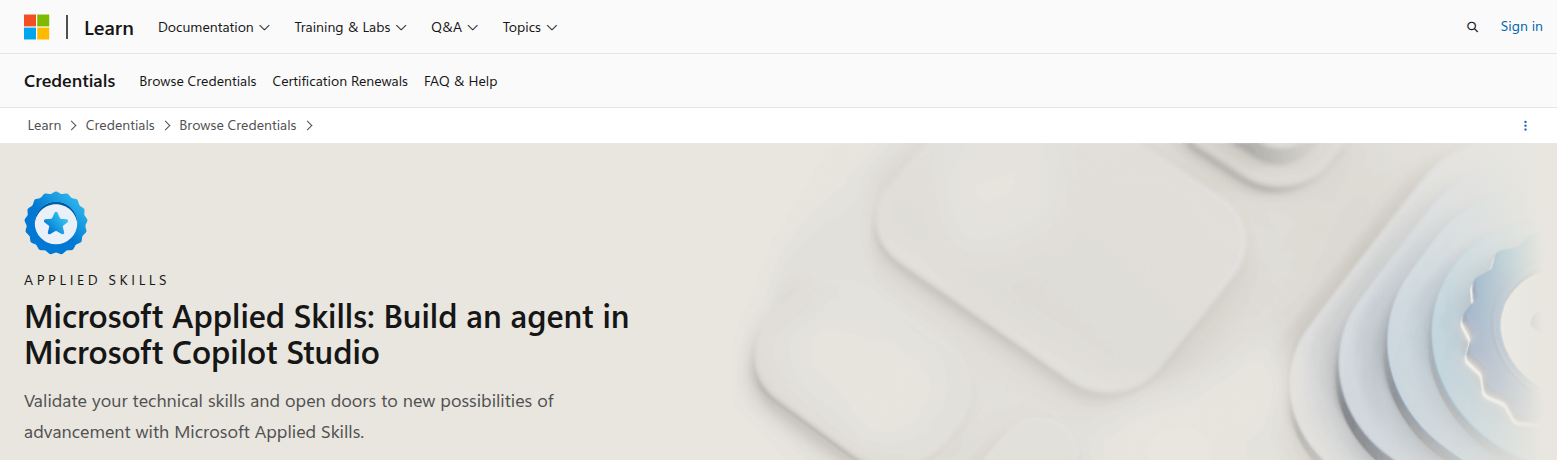
Microsoft Applied Skills: Build an agent in Microsoft Copilot Studio is in the third bucket.
That is why it matters for desktop engineers, sysadmins, and Microsoft 365 admins who are being pulled into Copilot rollouts, internal automation requests, and support workflows that suddenly have AI attached to them.
Quick verdict
| Category | Verdict |
|---|---|
| Best for | Microsoft-first IT pros who need practical proof they can build and publish Copilot Studio agents |
| Provider | Microsoft Learn |
| Credential type | Microsoft Applied Skills badge |
| Format | Interactive assessment lab |
| Level | Intermediate |
| Prep path | 58-minute learning path, 7 modules |
| Assessment | 2-hour lab |
| Practical ROI | High if your environment is already Microsoft 365 / Power Platform / Copilot-adjacent |
| Biggest risk | Narrow value if your career is AWS-first, Google Cloud-first, or completely non-Microsoft |
| My recommendation | Strong short-list credential for admins who want operational AI experience, not AI theory |
Official credential page: https://learn.microsoft.com/en-us/credentials/applied-skills/build-an-agent-in-microsoft-copilot-studio/
What Microsoft says this credential validates
Microsoft says learners must demonstrate the ability to build an agent in Microsoft Copilot Studio.
That sounds simple, but it is actually a strong signal for IT teams because the badge is not asking you to memorize AI buzzwords. It is asking whether you can handle the building blocks of a working agent:
- creating and configuring agents
- working with knowledge sources
- defining topics
- configuring tools
- sharing and publishing the agent
Microsoft also says candidates should already have experience with Copilot Studio concepts such as knowledge, topics, and tools, plus a solid understanding of generative AI and agent development concepts.
For desktop engineers and sysadmins, that makes this badge more useful than a general AI intro course. It is closer to the kind of work you do when an internal team says, “Can IT stand up a support agent for this process?”
Why this credential stands out for IT pros
The biggest reason this Applied Skills badge has real ROI is that it maps to operational work, not just AI curiosity.
A lot of AI certs are fine if your goal is to sound informed in meetings. They are less useful if your goal is to:
- prototype an internal helpdesk assistant
- connect knowledge sources safely
- publish an agent for staff
- support Power Platform-adjacent workflows
- help leadership test a business process before a larger rollout
That is the sweet spot here.
If you are a desktop engineer or sysadmin, you probably already live in the world of:
- Microsoft 365
- Entra ID
- Intune
- PowerShell
- support tickets
- change windows
- user-facing automation requests
Copilot Studio fits that environment much more naturally than a generic AI course does.
What the learning path looks like
Microsoft’s preparation path is compact:
- Get started with generative AI and agents in Azure
- 58 minutes
- 7 modules
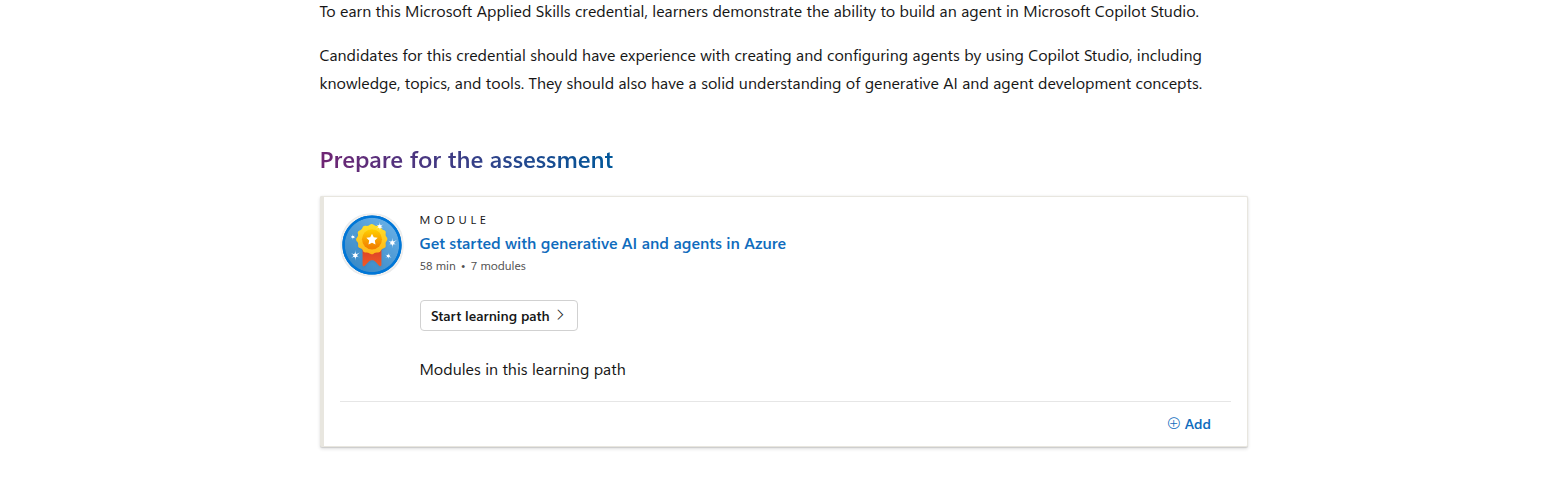
That matters because the prep path is short enough to fit around real admin work.
It also signals something important: Microsoft is not treating this as a deep software-engineering cert. It is a practical entry point into agents, generative AI, and the Microsoft AI stack.
For IT professionals, that is a good thing. You do not always need a three-month study plan to prove you can add value.
What gets evaluated in the lab
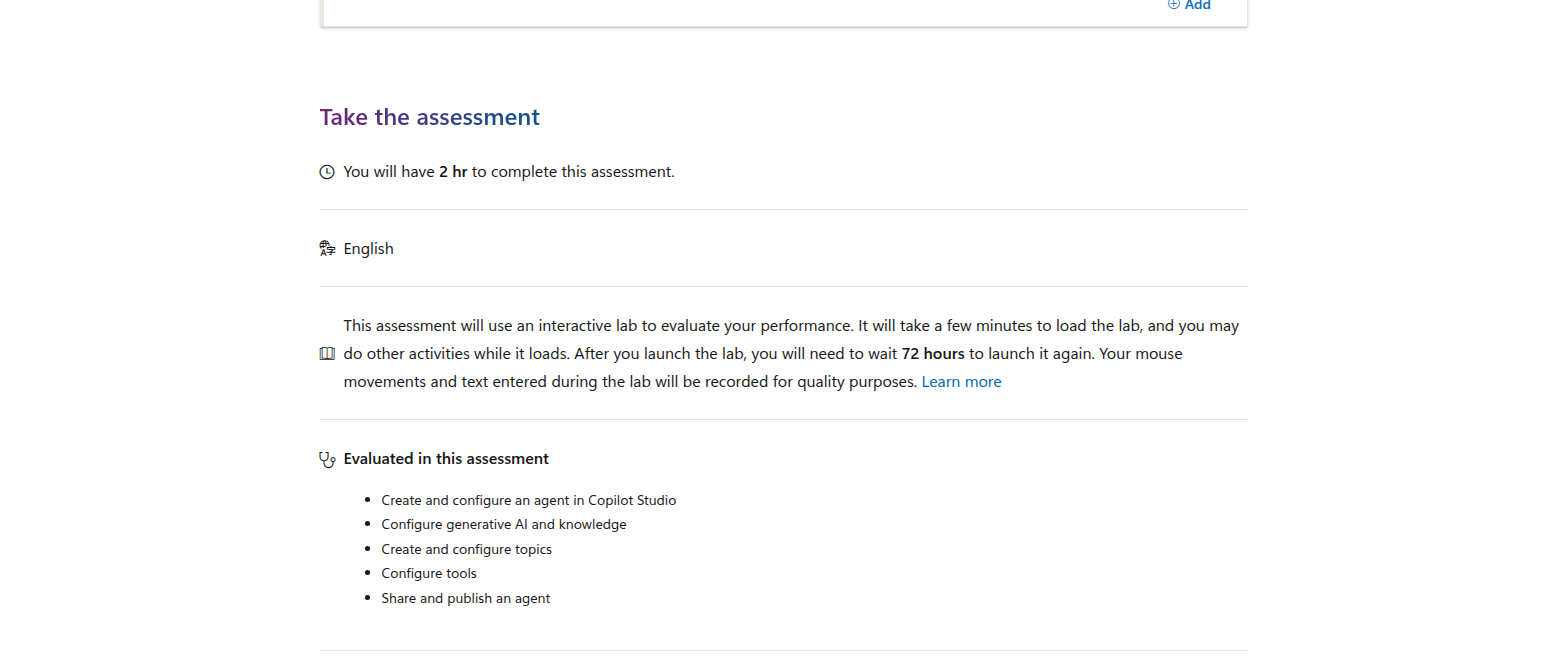
Microsoft says you get 2 hours to complete the assessment, and it is an interactive lab.
The evaluated tasks are:
- create and configure an agent in Copilot Studio
- configure generative AI and knowledge
- create and configure topics
- configure tools
- share and publish an agent
Microsoft also notes that after you launch the lab, you must wait 72 hours before launching it again.
This is the part that makes the badge feel real.
A lab forces you to deal with the product the way a teammate or customer would. You are not just answering questions. You are navigating the actual workflow.
That is valuable for admins because enterprise AI work often fails on the boring details:
- where the knowledge comes from
- what tools the agent can call
- how the agent is shared
- who can use it
- how it is governed
Those are the exact problems sysadmins and desktop engineers get asked to solve.
Why desktop engineers and sysadmins should care
This credential is not only for app makers.
If you support Microsoft endpoints, Microsoft 365, or internal automation, Copilot Studio knowledge can help you move from “device operator” to “platform enabler.”
That can show up in real work like:
- support triage bots for common tickets
- self-service agents for password resets or policy questions
- guided IT onboarding assistants
- internal knowledge bots for service desk teams
- Power Platform automations that need approved business logic
The badge is useful because it gives you a structured way to learn how Microsoft expects agents to be built and published.
That makes you more credible when leadership asks:
- Can we pilot this safely?
- What data can the agent see?
- How do we control the knowledge sources?
- Who owns updates after launch?
- What happens when users start depending on it?
Those are not AI theory questions. They are IT operations questions.
Where this sits in the Microsoft learning stack
This credential is especially interesting because Microsoft positions it around Copilot Studio and Power Platform, while the prep path points through generative AI and agents in Azure.
That gives it a nice middle-ground feel:
- less abstract than an AI overview
- less code-heavy than a full developer credential
- more practical than a strategy-only AI badge
If you are already handling Microsoft admin work, it can be a clean stepping stone into agent workflows without forcing you to become a full-time developer.
How it compares with AWS, Google Cloud, and Coursera
Here is the honest comparison for IT professionals who are trying to choose where to spend time.
| Credential | Provider | Format | Hands-on signal | Best fit |
|---|---|---|---|---|
| Microsoft Applied Skills: Build an agent in Microsoft Copilot Studio | Microsoft | 2-hour interactive lab | High | Microsoft-first IT pros who need to build and publish agents |
| AWS Certified AI Practitioner | AWS | Foundational exam | Low to medium | IT pros who want AI vocabulary and AWS brand recognition |
| Google Cloud Generative AI Leader | Google Cloud | Certification exam | Low | Business-facing or cross-functional leaders who need gen-AI fluency |
| Microsoft Generative AI Engineering Professional Certificate | Coursera + Microsoft | 5-course professional certificate | High | Learners who want deeper build skills over months, not hours |
Versus AWS Certified AI Practitioner
AWS says its AI Practitioner certification is foundational, takes 90 minutes, has 65 questions, costs 100 USD, and is intended for people who are familiar with, but do not necessarily build, AI/ML solutions on AWS.
That makes it a useful brand-name credential.
But for a Microsoft-heavy desktop engineer or sysadmin, it is less directly useful than a lab that proves you can create and publish an agent in the product your organization may actually deploy.
Versus Google Cloud Generative AI Leader
Google Cloud positions Generative AI Leader as a credential for anyone in any job role, with or without hands-on technical experience.
Google Cloud says the exam is:
- 90 minutes
- 50–60 multiple choice questions
- $99
- valid for 3 years
- no prerequisites
That makes it approachable.
But it is also a more business-level credential. It is better if your goal is to understand AI strategy and Google Cloud offerings than if your goal is to prove you can build a working enterprise agent.
Versus Coursera’s Microsoft Generative AI Engineering certificate
Coursera’s Microsoft Generative AI Engineering Professional Certificate is the deeper learning path.
Coursera currently lists it as:
- intermediate
- a professional certificate
- 3 to 6 months
- 4.3 / 5 rating from 22 reviews on the Coursera search listing
That is a better choice if you want broader technical depth and you are willing to spend months learning.
This Applied Skills badge is the better choice if you want faster employer-visible proof inside Microsoft’s own ecosystem.
Practical ROI by career path
If you are a desktop engineer
This credential helps you move from endpoint support into AI-enabled workflow support.
You can show that you understand how an agent gets built, what data it relies on, and how it is published to users.
If you are a sysadmin
This is a good bridge into platform enablement and automation ownership.
It gives you language for agent creation, knowledge management, and operational rollout.
If you are an IT support lead
This badge can help you prototype internal support automation faster.
That can be a strong career move if your organization is trying to reduce ticket volume without sacrificing control.
If you are a Microsoft 365 admin
This credential fits neatly into the Microsoft stack and can help you support Copilot-adjacent projects with more confidence.
What you do not get
To keep this honest, here is what this badge does not give you:
- it is not a full machine learning certification
- it is not a substitute for coding experience
- it is not a cloud-agnostic credential
- it is not a broad AI theory program
- it does not replace hands-on project work
Think of it as a focused operational badge rather than a complete AI career path.
Final recommendation
Yes — this is worth it for desktop engineers and sysadmins who work in Microsoft-heavy environments and want practical AI credentials, not just theory.
It is especially compelling if you expect to touch Copilot Studio, Power Platform, internal support automation, or Microsoft 365-adjacent agent workflows.
The reasons are simple:
- the prep path is short
- the assessment is hands-on
- the evaluated tasks match real product work
- the credential maps to the kind of problems IT teams actually get asked to solve
If your goal is to sound smart about AI, there are easier options. If your goal is to prove you can build and publish a useful Microsoft agent, this one has real value.
FAQ
Is this better than a general AI fundamentals cert?
For Microsoft admins, yes. It is more operational and much closer to real work.
Do I need to be a developer?
Not necessarily, but you do need to be comfortable learning the Copilot Studio workflow and related concepts.
Is this better than AWS Certified AI Practitioner for a sysadmin?
If you work mainly in Microsoft environments, yes. AWS AI Practitioner is broader and more conceptual.
Is this better than a Coursera certificate?
It depends on your goal. Coursera is better for deeper study; this Applied Skills badge is better for fast, employer-visible proof.