
Free · read-only · MIT
Autopilot Health Check
Free read-only PowerShell script that reads a stuck Autopilot device's own logs and tells you which known cause it matches.
By Abderrazak Elbouchikhi (Zak)
Read-only, local report. Not tested on a real device. Test on a non-production device first.
The script changes nothing on the device, so there is nothing to roll back. The only files it writes are its own HTML and JSON reports. It has been checked only with PSScriptAnalyzer and Pester unit tests on synthetic data; it has not been run on a real device.
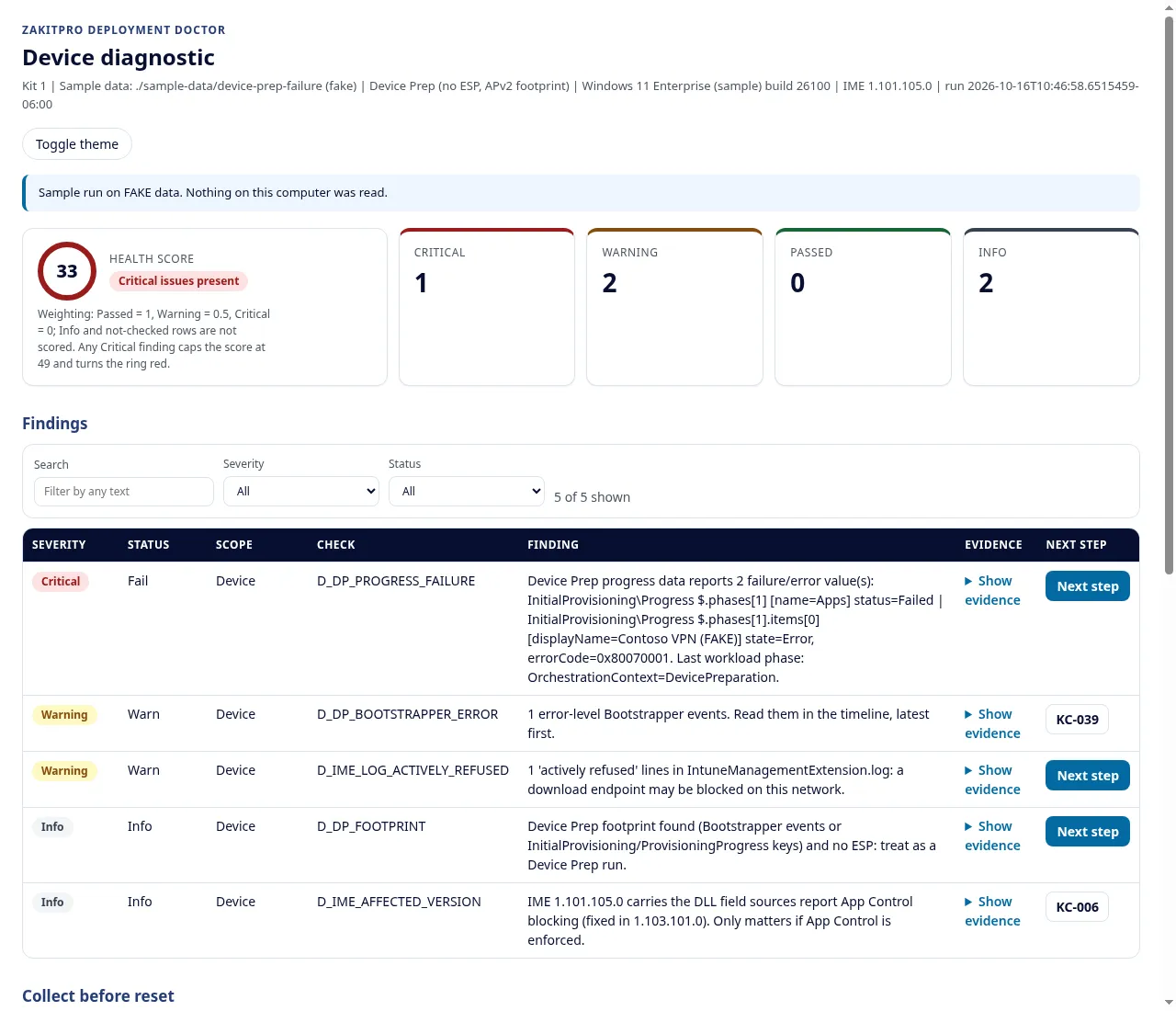
-SamplePath mode).Get the script (no signup)
Invoke-DeviceDiagnostic.ps1, Kit 1 scripts 1.3.3, unmodified, from the public beta repo at commit 17543cb. Windows PowerShell 5.1, runs at Shift+F10 during OOBE.
Check the file before you run it
SHA256 (also on /verify/):
EA1CA454FFDDA3BBE61BA41DEE2E6363AD295F7E65F6ED540C7101952A2C18DD Prints True when the file matches:
(Get-FileHash .\Invoke-DeviceDiagnostic.ps1 -Algorithm SHA256).Hash -eq 'EA1CA454FFDDA3BBE61BA41DEE2E6363AD295F7E65F6ED540C7101952A2C18DD'If execution policy blocks it, review the script, then unblock that one file. Don't set the policy to Bypass globally.
Unblock-File .\Invoke-DeviceDiagnostic.ps1See the output first on the fake data (from the repo root):
.\scripts\Invoke-DeviceDiagnostic.ps1 -SamplePath .\sample-data\device-prep-failure -OutputPath C:\Temp\DDGet the Findings Guide
The script prints a known-cause ID for each finding. The free guide explains each of the 32 causes it can raise: the symptom, the cause, the first manual check, and the Microsoft Learn page to read next.
Want the fixes too?
The paid Deployment Doctor kit adds the rollback and confirm steps, flowcharts, the tenant pre-check and 12 months of updates. See the Deployment Doctor.